
The business SIP trunking guide
SIP trunking explained for UK business phone systems
SIP trunking connects a compatible business phone system to a voice provider over an IP connection. Before comparing quotations, it helps to separate the connection itself from the phone system, telephone numbers and call charges around it.
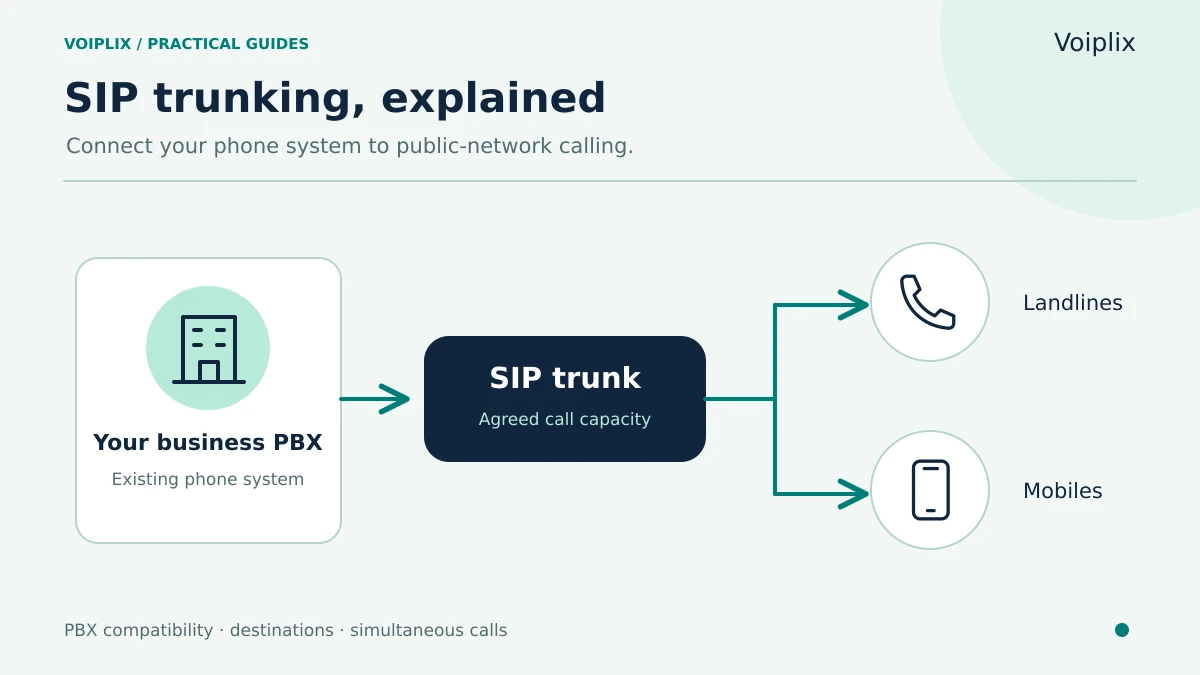
What a SIP trunk actually does
SIP stands for Session Initiation Protocol. It is a signalling protocol used to establish, change and end communication sessions. In a business telephony arrangement, a SIP trunk provides the connection between your compatible PBX and your provider's voice service. Your PBX still determines many day-to-day behaviours, including extensions, opening hours and how incoming calls reach the right team.
That distinction matters when buying. A trunk is not automatically a complete hosted phone system, an internet connection or a bundle of handsets. Ask the supplier to show which parts of the proposed service they manage and which remain your responsibility. A short diagram is often more useful than a long feature list.
Count simultaneous calls, not just employees
A business with many employees may have relatively few calls taking place at once. A smaller outbound team may need considerably more call capacity per person. Start with the busiest period in an ordinary working week, then consider seasonal peaks, campaigns and growth. Use your existing call records where possible instead of guessing from headcount.
Ask how the supplier measures concurrent calls, whether inbound and outbound calls share the same allowance, and what happens when that allowance is reached. Confirm whether additional capacity needs an order, takes effect immediately or has a lead time. Include queueing, transfers and any automated calling equipment in the discussion.
Confirm the whole compatibility path
Give the provider your PBX make, software version and proposed network arrangement. Compatibility should cover the functions you actually use: inbound numbers, outbound caller ID, transfers, hold, voicemail and menu selections. A successful basic call is a useful first check, but it does not prove the whole configuration works.
Agree who supplies and maintains any required border controller or gateway. Request a written configuration checklist and identify the person who will approve changes. Keep passwords and authentication details in an appropriate password manager; they should never travel around a project in a shared spreadsheet.
Look beyond headline broadband speed
Assess the network where people will make calls, including the office connection, switches and home-working arrangements. A connection that feels fast while browsing still needs to be assessed under your normal business workload. Test with other applications running and listen for interruptions, delay and inconsistent audio.
Ask the installer to explain traffic management and any firewall requirements. Avoid making broad firewall changes simply to get a test call working. Document the approved settings, the support owner and the steps for diagnosing a problem without exposing the phone system unnecessarily.
Compare the complete commercial picture
Request a quotation that separates recurring trunk charges, number rental, usage, installation and any optional management. Check the destinations you call most often. An attractive rate for one destination tells you little about the overall cost of your actual traffic.
Clarify billing increments, minimum commitments, contract length, rate-change notices and any charges for changing capacity. Ask how unexpected usage is monitored and what spend controls are available. The aim is a quotation your finance team can reconcile against real calls, rather than a price that only looks good on the first page.
Plan a measured changeover
Begin with a small, representative test group and a written acceptance checklist. Make inbound and outbound calls, exercise transfers and check the number displayed to recipients. Agree the approach to existing numbers before requesting a port, and arrange a fallback contact route for the transition window.
Once live, review early call records with your provider and resolve discrepancies while the implementation team is still involved. Keep the final configuration and support contacts in your operational documentation. A good handover should leave your team knowing both how the service works and whom to contact when it does not.
Your questions, answered
A few common questions.
Practical answers before you take the next step.
Is SIP trunking the same as a cloud phone system?
They describe different parts of a service. A SIP trunk connects a compatible phone system to a voice provider. A cloud phone system supplies phone-system functions as a hosted service. A proposal may include both, so ask what is included.
How many SIP channels do we need?
Use your busiest observed calling period as the starting point, then account for queues, automated traffic and growth. Have the provider explain exactly how simultaneous calls are counted and what happens at the limit.
Can we keep our current PBX?
That depends on its compatibility and support status. Share the exact make and version, then test your required calling features before committing to a migration.
Explore the next step
Keep the useful connections going.
Start with a conversation
Turn the reading into a useful next step.
Tell us about your offices, agents, traffic and existing systems. We’ll help scope the calling service, devices and integrations around your business.