
The business calling integration guide
Planning a CRM and phone system integration
Connecting a phone system to a CRM is most useful when it removes a specific piece of work from the customer's conversation. Decide what agents need before, during and after a call, then design the integration around that sequence.
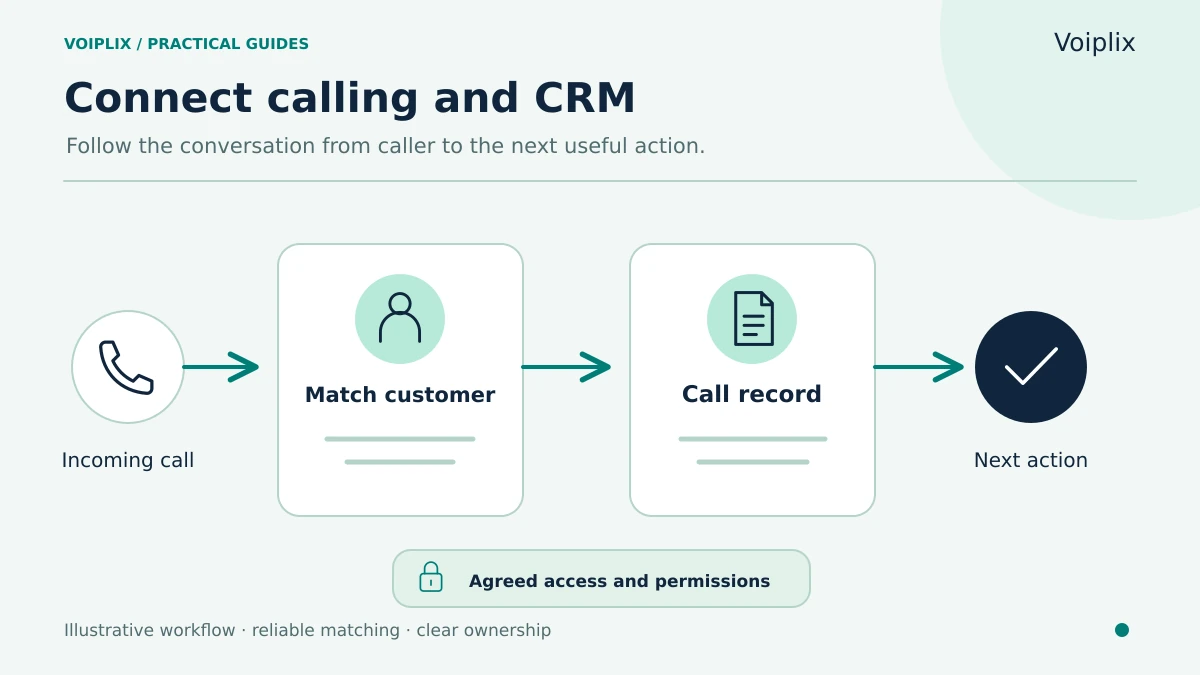
Choose a small number of useful outcomes
Start with the moments that cause the most friction. An agent may need to find the right account, record a call outcome or pass a promised action to another team. Describe each outcome in plain language before discussing connectors or development work.
For example, your first release might open a matching customer record and create a call activity with its time and outcome. A later release could add a more involved follow-up workflow. A narrow first release is easier to test with real users, and it gives you evidence about what the next improvement should be.
Decide which system owns each piece of information
Create a simple field map for contact details, account ownership, call events, notes and follow-up tasks. Identify the source of truth for each item. Decide whether information travels in one direction or both, and who is allowed to change it.
Avoid letting two systems overwrite the same field without a clear rule. If a telephone number changes in the CRM, determine when the calling system should learn about it. If an agent leaves the business, confirm what happens to their assigned tasks and access in both systems. These decisions matter more than the length of the connector's feature list.
Handle caller matching carefully
A telephone number does not always identify one person. Families can share a home number, several contacts can use an office switchboard and a business can have duplicate records. Design a clear experience for no match, one match and several possible matches.
Agree how numbers are stored and compared, including country codes and formatting. Test withheld numbers, international callers and contacts with multiple telephone fields. Give the agent a way to choose the correct record when matching is uncertain. It is better to ask for a selection than to save a detailed conversation against the wrong customer.
Define a useful call record
Decide what a completed call activity should contain. Useful fields may include direction, time, agent, associated record and a clear outcome. Keep the list tied to a real reporting or follow-up need. Avoid collecting extra information simply because the interface makes it available.
Treat transfers and callbacks explicitly. A transferred conversation might create several telephony events but should not leave managers believing several independent customer enquiries occurred. Agree how events are grouped and how a promised callback becomes a task that someone actually owns. Decide what the agent must confirm before the record is final.
Plan for delays, retries and restricted access
Ask the implementation team what happens if either system is temporarily unavailable. The design should explain whether events wait, retry or need attention, and how an administrator finds incomplete work. Define how repeated delivery is handled so the same call does not create duplicate activities.
Give the connection only the access needed for the agreed workflow. Separate ordinary user permissions from integration administration. Establish how credentials are stored, changed and removed, and identify an owner for failed synchronisation. Keep diagnostic information useful without unnecessarily exposing conversation details or personal records.
Test with the people who will use it
Use representative test records with appropriate access controls. Try an inbound enquiry, an outbound follow-up, a missed call and a transfer. Include duplicate contacts and a temporary connection failure. Ask an agent to complete each journey without help from the person who built the integration.
Measure success through the work completed: the correct record opens, notes go to the intended place and the next action has an owner. Agree who supports the connection when the CRM or phone system changes. Keep the field map, acceptance results and support responsibilities together so future changes can be assessed without rediscovering the original design.
Your questions, answered
A few common questions.
Practical answers before you take the next step.
Does a CRM integration require custom development?
That depends on the systems and the workflow. A supported connector may cover straightforward call activity, while a tailored process may need development. Assess the actual steps and data involved before selecting an approach.
Should every call create a new lead?
Only if that matches a deliberately designed process. Existing customers, repeat callers and shared numbers need sensible handling; automatically creating a lead for every event can produce avoidable duplicates.
What is the best first integration to build?
Choose the smallest connection that solves a frequent problem, such as opening a likely customer record or creating an owned follow-up task. Test it with agents before adding more automation.
Explore the next step
Keep the useful connections going.
Start with a conversation
Turn the reading into a useful next step.
Tell us about your offices, agents, traffic and existing systems. We’ll help scope the calling service, devices and integrations around your business.